Rename, organize and find subtitles for your TV shows
FileBot is a handy file renaming tool that specializes in TV shows, anime and other media files, which usually have long, complicated names.
Top Recommended Alternative

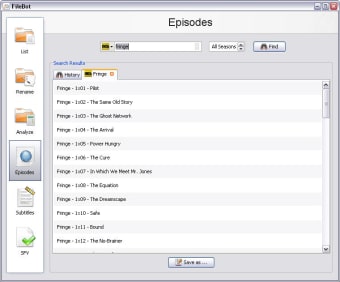
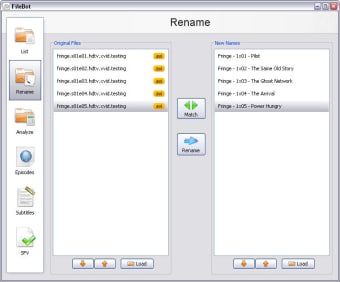
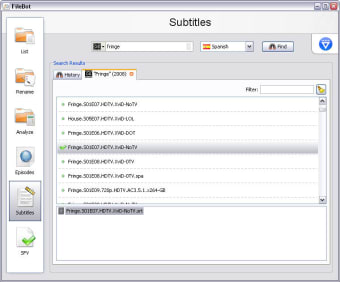
With FileBot you can not only rename all those files at the same time with a single mouse click, but also look for subtitles in different languages, obtain more information about your favorite shows and movies, and also check the file's integrity with SFC, MD5 or SHA1. Renaming files will help you have your media library better organized, and also look much better on Windows Explorer.
Unfortunately FileBot is not very intuitive. The program features a sidebar with links to its main functions (renaming, verifying, searching for subtitles…) but there's no documentation to explain how to use each of them. Also, the sources used by FileBot are all grayed out, which gives you the wrong impression that they won’t work.
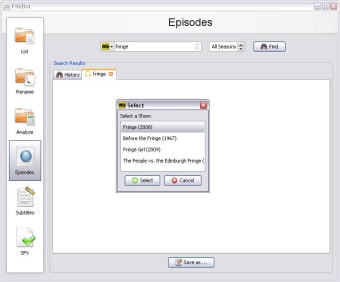
Once you get over these initial difficulties, FileBot is actually quite an effective app. As long as there's a small hint in the file name, it’ll find the right titles for any movies or TV shows you have on your hard drive in just a few seconds.
Bear in mind though that once you press the Rename button in FileBot, there’s no preview window or confirmation dialog. Also, if you need subtitles, we advise you to search for them before renaming the video file; otherwise it’ll be difficult to pick the right subtitle version.
FileBot is a handy renaming tool specializing in media files, such as movies, TV shows and so on.
Extreme-Makeover for Movie auto-detection (It actually works now!) More accurate and robust episode/file matching Support movie/series detection via imdbid/tvdbid from nfo files Update notifications when future versions are released Greatly reduced initial startup time of the Java WebStart app (by using lazy-loading) New portable distribution in download section Java 6 (Mac!) support for move/renaming files accross different volumes/filesystems